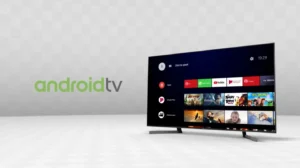
Stream Smarter with the Best IPTV Player on Android
Are you looking for a powerful IPTV player that delivers flawless streaming of live TV, movies, and sports directly on your Android device? Look no further than the IPTV Player available on Google Play. This user-friendly app is designed to offer high‑quality streaming with smooth performance, and it pairs perfectly with our services at iptvxtream4k.com.
Why Choose Our IPTV Player?
- Easy Setup: Simply install the app from Google Play and load your playlist or EPG in minutes.
- High-Definition Streaming: Watch full HD and 4K content without buffering.
- Multi‑Format Support: Compatible with M3U, M3U8, Xtream-Codes API, and more.
- EPG & Catch-Up: Integrated electronic program guide and catch-up features.
- User-Friendly UI: Intuitive interface with customizable theme options and fast navigation.
- Reliable Playback: Low‑latency, stable streaming even on slower connections.
Features That Set This IPTV Player Apart
The IPTV Player offers a comprehensive set of features tailored to enhance your streaming experience:
- Playlist Support: Add your own M3U or M3U8 playlists or input Xtream link credentials.
- EPG Integration: Automatic or manual EPG loading, so you can see channel schedules at a glance.
- Video Decoder Options: Switch between hardware and software decoding for optimal performance.
- Favorites and Categories: Organize channels into custom groups for easy access.
- Picture-in-Picture: Watch channels while multitasking with Android’s PIP mode.
- Subtitle and Audio Track Support: Works with multiple languages and external subtitle files.
- Parental Controls: Lock or hide channels you don’t want children to access.
Use with IPTVXtream4K Services
Our services at iptvxtream4k.com are the perfect match for this IPTV player. We provide:
- Extensive Channel Lineup: International, sports, news, and entertainment channels in HD and 4K.
- Reliable Streaming Servers: Minimal downtime and smooth playback across peak hours.
- EPG Data: Fully integrated program guides so your IPTV player can display accurate schedules.
- Flexible Packages: Monthly or annual subscriptions with worldwide delivery.
- 24/7 Support: Dedicated customer service to help with setup, playlists, or troubleshooting.
Step-by-Step Setup Guide
Follow this simple guide to get started:
- Go to Google Play, search for “IPTV Player,” and install it on your Android device.
- Open the app and tap on “Add playlist” or “Add Xtream credentials.”
- Enter the URL, username, and password provided to you via iptvxtream4k.com.
- Let the app load your channels and EPG data.
- Browse through live channels, use the EPG schedule, or access catch-up TV options.
Tips for Smooth IPTV Playback
- Use a fast, stable Wi‑Fi connection or 4G/5G mobile data.
- Enable hardware decoding if you encounter buffering.
- Keep your Android and the IPTV Player app updated to the latest version.
- Organize favorite channels for quick access.
- Use mute and volume controls directly within the app for convenience.
Download Now from Google Play
Ready to start streaming? Click the link below to access the official IPTV Player on Google Play:
Download IPTV Player on Google Play
Explore More at IPTVXtream4K
Want more information on subscriptions, package options, or supported devices? Visit our official website at iptvxtream4k.com to explore our offerings.
Stream smarter with our powerful IPTV player, enjoy seamless HD and 4K content, and turn your Android device into the ultimate entertainment hub. Whether you’re interested in movies, sports, international TV, or news—start today and see why our setup is trusted by IPTV users worldwide.
Disclaimer: This post is for informational purposes only. Ensure that you comply with local broadcasting laws and licensing agreements when using IPTV services.